
How to Search Cases by Name
A name-led Cook County case search is routing work first and typing second. Decide whether the matter belongs to Superior Court, Magistrate Court, Probate Court, Juvenile Court, a municipal court, or the federal court. Georgia Courts' E-Access directory then points you to a provider. That provider will want an account. The Cook Superior Clerk names PeachCourt for civil e-filing and EZ-File for criminal e-filing. Neither vendor, though, is a full public docket covering every Cook court.
Inside PeachCourt, the help fields allow a full or partial name plus an email search under Users. Quotation marks work for exact-style searches. What comes back are linked user records. That is not a public case-party search. When no name search is exposed, the responsible clerk, the calendar, or a courthouse terminal is the right next channel for a docket search.
- Classify the court and case type before searching. A Superior civil matter follows a different route from a criminal, Probate traffic, Magistrate, Juvenile, municipal, or federal matter.
- Open the Georgia E-Access directory and follow the Cook Superior provider. If PeachCourt is the provider, use its free registration path for an attorney or non-attorney account when the search requires login.
- Use the most complete name and any known court or case clue only in a field that actually searches cases. Do not treat PeachCourt’s Users field as a public docket result.
- Compare any candidate with the court, case style, calendar category, and filing information. If no result appears, move to the court-specific fallback instead of assuming that no case exists.
Cook Case Search: E-Access Is a Directory
Georgia E-Access is not one statewide Cook County search box. It is a directory and redirect layer. The service points a user toward a court provider. It requires an account at that provider. Cook Superior routes to a provider, while the Cook Clerk separately identifies PeachCourt for civil access and EZ-File for criminal e-filing. The distinction matters. A directory can show where to start a case lookup without showing the case itself.
Key point: A provider redirect is not proof that every Cook County court, lower-court case, document image, or restricted record is searchable through the same account.
Superior Court is the general-jurisdiction trial court here. Cook County also runs Probate, Magistrate, Juvenile, and four municipal courts. The E-Access route works best after the court is known. If the provider screen does not name the case type you want, stop and turn to the responsible clerk or calendar instead of forcing a statewide search onto a local court record.
Cook Case Search: PeachCourt Fields
PeachCourt is the civil-side filing and document path the Cook Clerk identifies. Its registration page lets attorneys and non-attorneys alike create a free account, with contact fields, a password, a secret question and answer, reCAPTCHA, and terms acceptance. The search help keeps login, case, filing, and user layers separate. Pick the county and court first, the guidance says, then use an exact case number or Peach number whenever one is known.
| Search layer | Field | Type | Required / format | Result behavior |
|---|---|---|---|---|
| Login | text | Required | Account gate before case search. | |
| Login | Password | password | Required | Forgot-password link; no guest search observed. |
| Cases | County | dropdown | Select court county | Search help says select county and court. |
| Cases | Court | dropdown | Select court | Use Cook Superior; exact court label should be verified in provider list. |
| Cases | Case number | text | Exact court format recommended | Search returns matching case/document context; do not guess format. |
| Filings | Peach number | text | Exact Peach number format | Search by filing identifier. |
| Users | Name/email | text | Full or partial; quotes supported for exact-style searches | Search returns linked user records; not a public case-docket substitute. |
| Users | Bar number | text | Optional | Official help says bar number is accepted. |
The PeachCourt search-field help page lays out the exact fields Cook County case lookup users will meet, county and court selections first, then the case-number and Peach-number boxes.
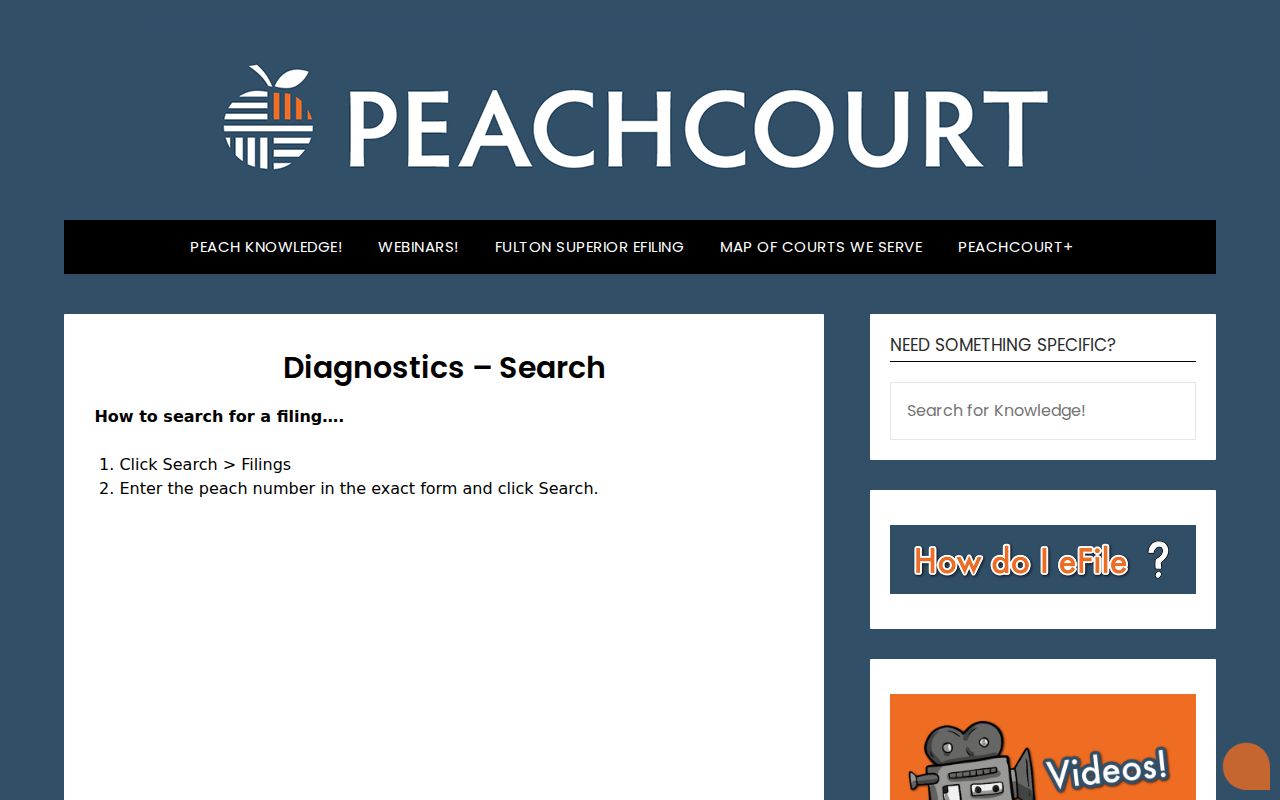
The layout explains why an exact number beats a guessed pattern. PeachCourt's help also notes that coverage varies by court. Sealed and adoption documents are excluded. Public document images can carry a per-page charge plus a convenience fee. The Clerk's office remains the public-record source for court records.
The public PeachCourt search entry opens onto a login screen. Expect to register before any case lookup. Its registration form allows free attorney and non-attorney accounts. A login wall is an access condition, not proof a case is missing. Public document access may cost $0.50 per page plus a convenience fee, and a Clerk-certified copy is a separate product.
When PeachCourt requires login, keep the court and case number at hand. Use the provider only for its stated coverage, then use the Cook Clerk, a courthouse terminal, or the proper lower-court office for the rest.
How to Search by Case Number
Cook's civil calendar is the clearest public source for a local case-number pattern. It shows a year plus a CV or CVD family marker, then digits. So write year + CV + digits or year + CVD + digits, never a made-up literal number. The public criminal calendar publishes no complete criminal case-number format, and civil markers must not be borrowed for criminal matters in a case search.
- Copy the number exactly from a filed paper, citation, calendar, or clerk response. Keep every year, letter, digit, and separator supplied by the court.
- Confirm whether the number belongs to Superior civil or domestic records, criminal records, Magistrate Court, Probate Court, a municipal court, or federal court.
- For a Superior civil search, enter the exact number in PeachCourt’s Cases case-number field after selecting the county and court. A Peach number is a separate filing identifier.
- For a criminal number or a lower-court number that is not publicly searchable, give the exact identifier to the responsible clerk. Do not turn a missing online field into a guessed case format.
The Cook Clerk's civil and criminal records sit on different filing paths. An Alapaha circuit calendar may list a setting without opening the full case file. A number narrows the request, but the court and its custodian still control the result of any docket search.
Cook Civil and Criminal Search Paths
Cook County splits its e-filing by case type, and the Clerk’s eFile page spells out the divide. PeachCourt takes civil filings. EZ-File takes criminal Superior filings. A civil docket search can start at Georgia E-Access. From there, move to the Cook Superior provider and fill in the PeachCourt county, court, and exact-case fields. A criminal search runs through the Cook Superior Clerk and the Alapaha Judicial Circuit calendar. The public EZ-File Georgia page is an account login for filing, not a guest docket anyone can browse.
The calendars themselves carry useful labels. Civil entries list case, hearing length, and IBIC Y/N. Reporter and witness columns come next. Plaintiff and defense attorney, judge, court reporter, and allotted time round out the page. Criminal entries show Cook arraignment, criminal, motions and pleas, misdemeanor calendar call or pleas, and felony calendar call or pleas. Grand jury and jury trials complete the list. Those labels point you to the right court docket path. A calendar setting is only a schedule, though. It is not the full register of filings, orders, or outcome.
Cook County offers no unauthenticated public criminal case search. EZ-File’s account form does include a COOK Criminal Superior request checkbox, yet the page around it is a login and filing interface. A blank login is not a blank docket. Check the Cook criminal or arraignment calendar first, then ask the Clerk whether that case type and its record are public.
When EZ-File gives no guest result, the criminal calendar and the Clerk’s counter remain the public fallback. A calendar route can confirm a public setting, though it won’t show every criminal docket entry. The office that holds the case still controls the file, document images, and certified copies.
The Counter Is a Cook Search Channel
The Cook Superior Clerk sits at 212 N. Hutchinson Avenue, Adel, Georgia 31620. Phone is (229) 896-7717. Fax is (229) 896-7589. The office is open Monday through Friday from 8:00 a.m. to 5:00 p.m., excluding holidays. Walking in is not a last resort after a website fails. At the counter you can identify the responsible record. You can view the public portion of a court docket and ask which copy path applies.
Georgia’s statewide e-filing standards require a free paper or courthouse-terminal alternative. Cook does not publish its terminal room or assistance policy. Phone, fax, mail, counter inspection, and that terminal option all belong in the same fallback chain. The Clerk posts no court email, drop-box procedure, court-specific mail form, or guaranteed turnaround. Call ahead before sending a precise request.
The county Open Records form covers inspection or copies, a detailed description, contact details, signature, and payment information. It sets a three-business-day response framework, makes the first 15 minutes of staff time free, and generally charges $0.10 per page. Court copies follow the Clerk’s published court-copy schedule, and court-file exemptions and sealing rules still apply. For an upcoming hearing, the Cook Court Dates route may confirm the event. It does not replace the case file itself.
What a Case Search Shows
A provider result can carry a lot of detail. Expect a case number, case style, court, filing date, party or attorney metadata, docket entries, document links, and status. The exact Cook result view sits behind a registered account, so treat those as possible fields rather than a promise. The Alapaha calendar is thinner. It shows a date, time, county, and setting category. It does not show the full case history.
| Court and custodian | Identifies whether the result belongs to Cook Superior, Magistrate, Probate, Juvenile, a municipal court, or a federal court and who keeps the record. |
|---|---|
| Case number | The court-assigned identifier. Cook civil calendar patterns show a year plus CV or CVD family marker and digits; the criminal format was not published. |
| Case style and parties | The caption and party roles, such as plaintiff and defendant in a civil matter. A user record is not the same as a case-party result. |
| Case type | The provider or clerk’s classification, which may distinguish civil, domestic, criminal, probate, traffic, juvenile, municipal, or federal matters. |
| Filed date and event | The date a filing or docket event was recorded, when the source exposes it. A calendar date is a scheduled setting, not a filing date. |
| Setting | Date, time, and category such as Cook-Civil, Cook-Arraign., or Cook-Criminal Motions & Pleas when the calendar supplies those fields. |
| Status or disposition | An outcome or current status only when the case view or Clerk record states it. A calendar line does not prove a disposition. |
Once the case is located, turn to the Cook Court Record Search route for a filed order or certified document. Confirm the copy type with the Clerk first. A screen view, a vendor image, and a certified courthouse copy are not the same thing, and only the courthouse copy carries official weight in a court docket.
Cook Magistrate Search: County Farm Road
Say the Cook County case lookup turns up nothing for a Superior case. Try a different court type next. A public search can miss for a plain reason. The matter sits with a lower court, a city court, a specialty court, or a federal office instead. Work down the fallback chain below. That keeps a civil claim, county citation, juvenile record, municipal ticket, or federal filing from landing at the wrong counter.
- Superior civil, domestic, and felony criminal: start with the Cook Superior Clerk at 212 N. Hutchinson Avenue in Adel. Civil matters follow the PeachCourt path; criminal matters follow the Clerk, circuit calendar, and any eligible provider account.
- Magistrate: the Magistrate Court is at 1000 County Farm Road, Adel, phone (229) 896-3151. It handles limited civil claims up to $15,000, dispossessory matters, garnishments, warrants, bonds, and county ordinances. No Cook public name or case search was located.
- Probate and county traffic: the Probate Court payment route at 212 N. Hutchinson Avenue uses a citation and payment path, not a general all-court search. Mail instructions use the name, citation number and/or license number, money order or certified funds, and no checks.
- Juvenile and specialty paths: Cook juvenile records are not generally public. JDEX is an authorized-user path, not a public name search. Accountability Court, ADR, IBIC, and protective-order materials have their own court or program rules; an IBIC Y/N field is a planning flag, not a custody outcome.
- Federal: a Cook-related federal civil, criminal, or bankruptcy matter belongs to the U.S. Middle District of Georgia, Valdosta Division. Use PACER and the federal Clerk, not the Cook Superior Clerk.
The court map also explains why one name can return no Cook County result. The office, privacy rule, calendar, and copy path all shift with the court. The court that owns the case controls the docket search.
Cook Municipal Search Means Issuing City
Municipal dockets stay with the city that issued the ordinance or traffic matter. Adel and Lenox each run a city-specific citation interface. Cecil's public city-court channel lists dated events. It is not a searchable docket. Sparks posts no public case or payment portal at all. A Cook Superior or Probate search will not sweep those city records into one place.
Ask the issuing city. A citation number, court date, payment status, contest path, or copy request all start there. The channel might be online, by phone, or at a municipal counter. There is no single shared municipal database. Is the city route unclear? The Georgia traffic locator can name the provider or point you back to the issuing court.
County vs Statewide Case Search
Georgia keeps a statewide provider directory. Cook County has no single county-wide case database. Superior, Magistrate, Probate, Juvenile, municipal, and federal records sit in separate places. The statewide layer helps you find a provider. The county layer asks you to pick the court first. Then you use the provider, calendar, clerk, or counter that actually holds the matter.
| Georgia E-Access directory | Cook County court route |
|---|---|
| Directory and redirect layer for court providers. | Routes by court: Superior, Magistrate, Probate, Juvenile, municipal, or federal. |
| No single statewide Cook case search was located; provider account rules apply. | PeachCourt, EZ-File, a circuit PDF calendar, a clerk counter, or a lower-court office may be required. |
| Best for finding the provider when the county or court is unclear. | Best for checking a known Cook case, setting, document, or custodian. |
| Does not replace a clerk’s certified record or a restricted-access rule. | Does not promise one account or one screen for every Cook record. |
Cook Traffic Search Has No Statewide Database
Georgia runs no statewide traffic-citation database, so a Cook traffic search goes provider by provider. Expect to hand over certain details. A name, a citation number, a date of birth, or a driver-license number works. The city or county where the ticket was issued can also help. A ticket can take 7 to 21 business days to become payable online. Treat that wait as a provider caution rather than proof the court record vanished.
Where a citation lands depends on who wrote it. County citations belong to Cook Probate at 212 N. Hutchinson Avenue. City citations stay with Adel, Sparks, Lenox, or Cecil. Must-appear matters are different animals. Paying online is not one of the options. Miss your traffic date and you should call the issuing court directly. The Georgia traffic locator guidance helps you route the ticket. It is not a Cook case search.
Cook State Docket Versus PACER
A Cook County state case has its own world. So does a federal case tied to Cook County. State dockets run through Georgia E-Access and the Cook-specific court route. Federal filings land with the U.S. District Court for the Middle District of Georgia, Valdosta Division. That court handles its own docket search. PACER, the federal system, offers two ways in. You can search one court directly, or use its nationwide Case Locator. That helps when you don't know where the case was filed. Either way you need an account, and federal query or document charges may apply.
The federal docket itself can show a case number, the parties, and entries. Documents the court has posted may appear too. That is still not a Cook County Clerk record. For anything beyond the docket view, contact the federal Clerk. No state docket search will pull up a federal case. Not even one with Cook County parties. The events may have happened there too. The PACER case-search page shows the district selection. That choice governs this route for Cook County matters in federal court.
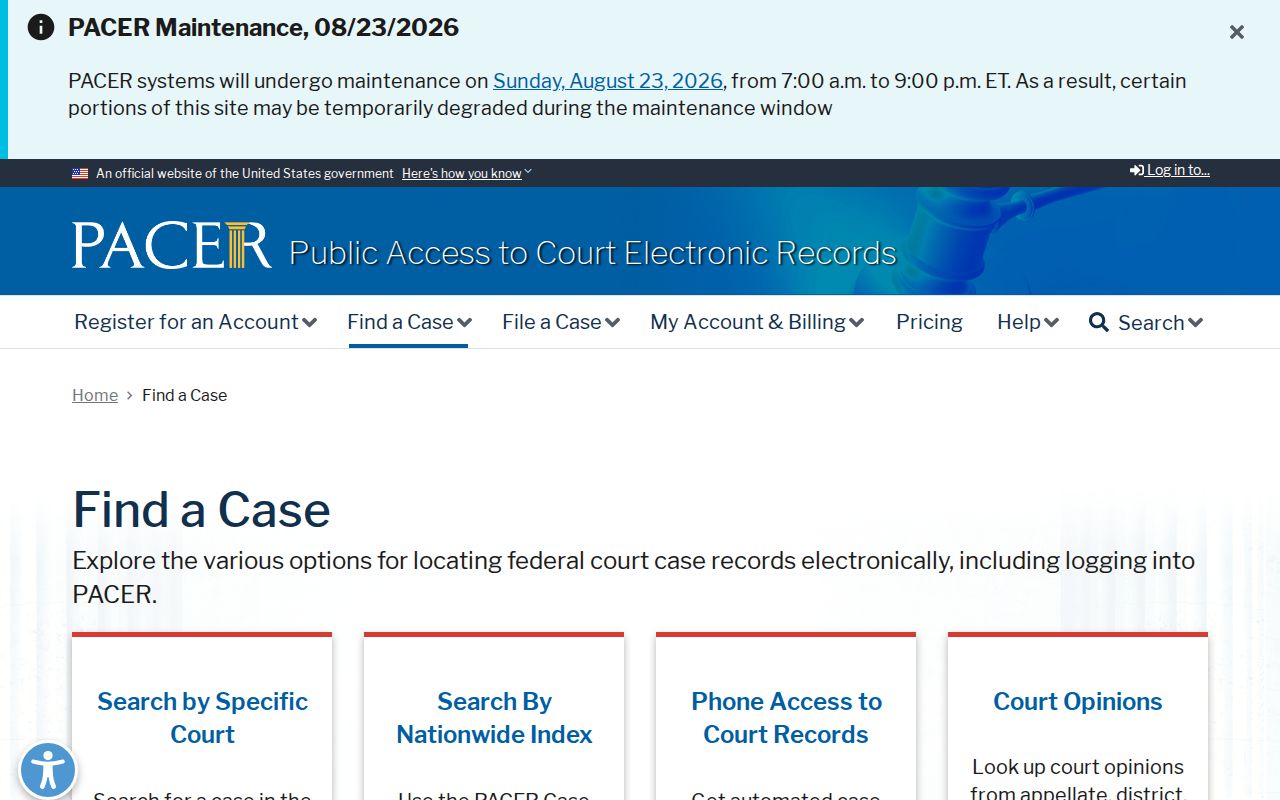
The jurisdiction check comes down to one question. Does the matter belong to the Middle District? If so, use the federal court. State Superior, Probate, Magistrate, Juvenile, and municipal searches stay in their own Cook County channels.
Restricted Cases and Access Rules
"No result" does not mean "no case." Four usual suspects come first. Check coverage, court type, a protected record, or a typing mistake before you call the Cook Clerk. PeachCourt's own materials note that court coverage varies and that some courts are excluded. Cook's public calendar and clerk sources, in turn, cover only the court records they identify.
- Coverage: the provider may not reach the court, year, document, or lower-court record sought. Historical coverage varies, and no Cook year range should be promised without checking the provider.
- Court type: a city citation, Probate traffic matter, Magistrate dispossessory case, Juvenile file, or federal docket will not be found by a Cook Superior civil search.
- Seal or restriction: sealed, adoption, juvenile, and other protected material may be excluded or redacted rather than missing.
- Typo or format: confirm spelling, court, year, CV or CVD marker, digits, and whether the number is a court case number or a Peach filing number.
The protected-record boundary is visible in the assigned JDEX authorized-login capture.
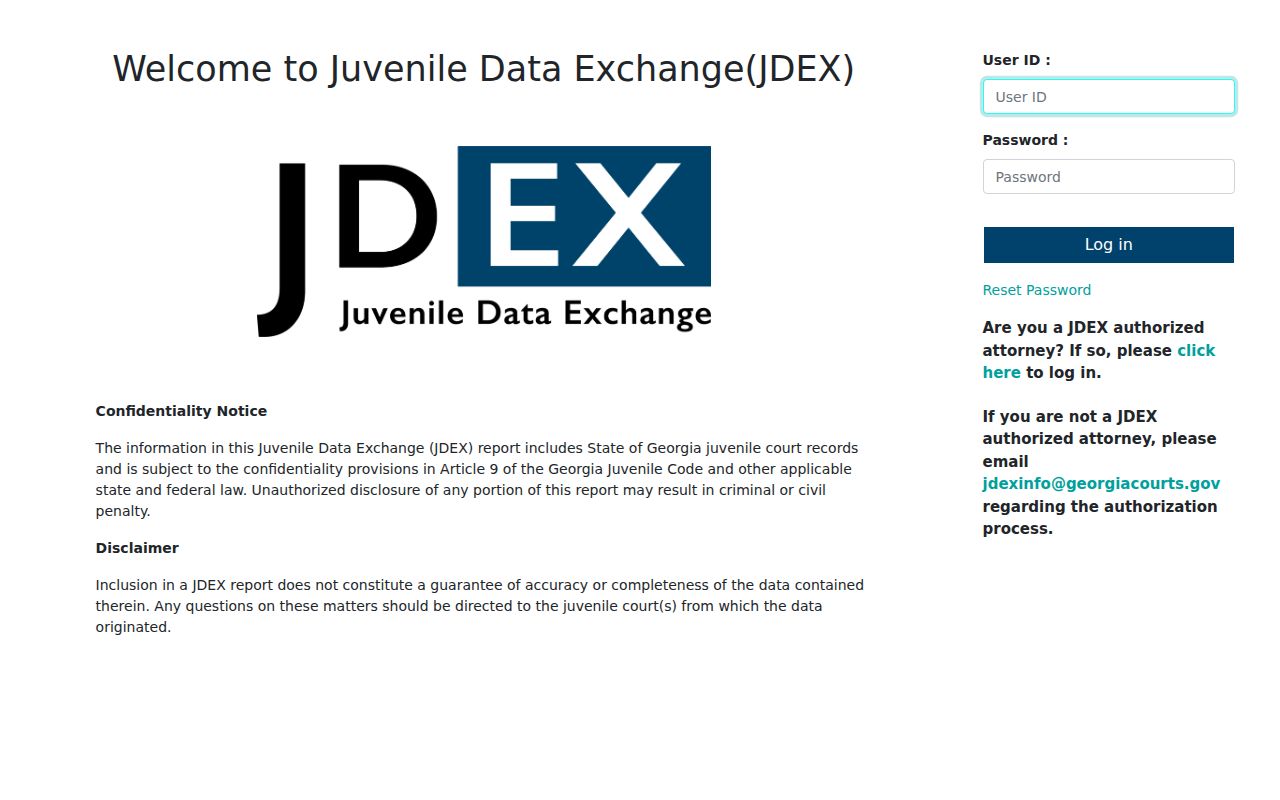
JDEX is for authorized users, not a public case lookup. So a missing result can simply mean a lawful access limit. It is not a failed record. It is not a deleted case either. Cook public access has limits beyond any provider login, too. The Cook Clerk treats juvenile, adoption, and military-discharge records as not generally available. PeachCourt help excludes sealed documents, adoption files, and proposed orders that no judge has executed. Probate safekeeping wills stay sealed in their envelopes under the stated court procedure. Those boundaries explain a blank result. A name or case number might return nothing in a public Cook County case lookup.
Uniform Superior Court Rule 21 starts from openness. Court records are public unless law limits access. The rule's sealing process can limit access too. Protected identifiers, plus certain family-violence and stalking-order details, require redaction or separate protection. The Georgia Open Records guidance cannot override a sealing order, a juvenile confidentiality rule, or any other court-specific restriction.
A Cook County court record can come back restricted. Ask the responsible clerk for the legal basis and for any redacted copy or access order. Never ask a vendor to get around the limit. Restriction is not destruction. Eligible restricted material can stay open to courts and to law enforcement. That holds even while a public Cook County case search shows nothing at all.