
Searching Cook County Civil Dockets
Cook County runs no single civil database covering every court. So sort the matter first. General civil and domestic-relations records sit with Cook Superior Court. Limited civil claims and process belong to Cook Magistrate Court. From there, the Georgia Courts E-Access directory can steer a Cook Superior user toward a records provider. The Cook Superior Clerk's eFile page names PeachCourt for civil filing and document access. An account may be needed either way. The Cook Clerk stays the authority for inspection and copies.
Have the court, the party names, the filing type, and the case number ready before you search. A missing result often just means the wrong court. It could also be a format mismatch, a coverage gap, or a restricted record.
- Choose Superior or Magistrate before searching.
- For Superior civil matters, open E-Access and follow the Cook provider path to PeachCourt.
- Select Cook County and the correct court, then enter the exact civil case number when available.
- Read the event history, linked filings, settings, and disposition fields as separate parts of the case.
- Ask the responsible Cook clerk for a certified judgment, order, or docket copy when a screen view is not enough.
Compare the docket event with the filed document before requesting a certified copy.
PeachCourt Is Cook's Civil Filing Door
The Cook Clerk splits its online doors. PeachCourt handles Cook civil work. EZ-File handles Cook criminal work. Neither covers everything. EZ-File is not a civil lookup. PeachCourt does not index every Cook Magistrate, Probate, Juvenile, or municipal file. E-Access is only a redirect layer. Registration on Cook PeachCourt is free for attorneys and non-attorneys alike, though many document searches still require an account.
Documents pulled through PeachCourt can carry per-page charges. Sealed or adoption material stays off the system. For anything certified, the Cook Clerk remains the source. The PeachCourt search help page walks through the separate case, filing, and user search fields:
| Search layer | Field | Format or access note |
|---|---|---|
| Cases | County | Select the court county before searching. |
| Cases | Court | Select the Cook Superior court provider. |
| Cases | Case number | Exact court format is recommended. |
| Filings | Peach number | Search by the filing identifier when known. |
| Users | Name or email | Full or partial search; not a substitute for a public case search. |
| Users | Bar number | Optional field in the user-search layer. |
The PeachCourt case search gate illustrates a common snag. A remote Cook civil search can stop cold before any case result appears.

An account screen is just an access step, not a denial. Verify the court type, then call the Cook Clerk if the civil record you expect is absent. Note: PeachCourt access and Cook Clerk access are complementary, so an online account does not replace a courthouse record request.
Inside a Cook County Civil Docket
A Cook civil docket lists filings, settings, orders, and status events in the order they happened. The civil calendar layers planning fields on top. Views differ by provider, so the field map names documented Cook labels rather than guaranteed screen fields.
| County and court | Identifies Cook and the court responsible for the matter. |
|---|---|
| Case number | Cook civil patterns show a year with a CV or CVD family marker and digits. |
| Case style and parties | Names the case caption, plaintiff or petitioner, and defendant or respondent. |
| Filings and motions | Shows petitions, answers, motions, exhibits, responses, and other docket events. |
| Hearing and length | Shows a setting and the planned hearing block, not the final result. |
| Judge and reporter | Identifies the judge and the court reporter field when the calendar supplies them. |
| IBIC Y/N and Rprted | Records child-well-being program and reporter-planning flags used on the Cook civil sheet. |
| Witnesses | Expected-witness planning field on the Cook civil sheet. |
| Plaintiff/Defense Attorney | Attorney columns for the two sides of the matter. |
| Allotted Time | Scheduled time block in the calendar footer. |
| Order and disposition | Separates a filed order or judgment from a calendar setting and from a final case status. |
A document link might open a petition, a response, an exhibit, a judgment, or an order. A vendor image is never a Cook Clerk-certified copy, so read the event text, document date, and court label together before relying on it.
Cook Civil CV and CVD Patterns
The Cook Civil PDF shows the pattern: year, then CV or CVD, then digits. Its sample leaves out party names and identifiers. So treat these as format cues rather than live search numbers.
Never carry a criminal format into a Cook civil search. Use the exact number from a Cook filing or calendar. If nothing comes back, check the court, the format, the coverage, and whether the record is restricted. Note: a visible CV or CVD pattern narrows the court path. But it says nothing about case status or outcome.
Civil Case Types on the Docket
Cook's Superior civil materials track general civil, domestic-relations, petition, hearing, and trial matters. Cook Magistrate Court, meanwhile, runs its own limited-jurisdiction civil docket.
- General civil and equity matters, including jury or bench settings.
- Domestic-relations matters: divorce, custody or visitation modification, and child support.
- Petitions: minor-child name change and ex parte status conference.
- Civil pre-trials, final hearings, calendar calls, and trial settings.
- Cook Magistrate claims, garnishments, dispossessory matters, and related process.
The court label on a Cook entry sets the path. A domestic case may appear under a civil provider label, and a Cook Magistrate claim will never surface in a Cook Superior result.
Superior Civil Versus Magistrate Civil in Cook
A Cook civil search sent to the wrong office simply fails. The Cook Magistrate Court and Cook Superior records live with different offices, limits, and channels.
| Question | Superior civil | Magistrate civil |
|---|---|---|
| Custodian | Cook Superior Clerk | Cook Magistrate Court office |
| Typical matters | Cook general civil, equity, domestic relations, jury or bench cases | Cook claims up to $15,000, garnishments, dispossessory, and process |
| Remote path | Cook Georgia E-Access and PeachCourt provider route | No Cook public case-search screen located |
| In-person route | 212 N. Hutchinson Ave., Adel; (229) 896-7717 | 1000 County Farm Road, Adel; (229) 896-3151 |
| Fallback | Cook Clerk counter, phone, fax, mail, terminal, or eCert | Call or visit the Cook Magistrate office and confirm the record path |
The Cook Magistrate fax number is (229) 896-5186; the Cook Superior Clerk fax is (229) 896-7589. Call first, since payment terms and turnaround times are not posted for every channel. Note: the $15,000 Magistrate limit marks the court path, not the value or outcome of a Superior civil case.
Civil Docket Settings and Hearings
Alapaha publishes several calendar paths: annual, monthly, weekly, calendar call, and civil trial. The Cook Civil PDF lists a county and date header and a 9:00 a.m. setting. Then come columns for case, hearing and length, attorney, judge, reporter, and allotted time. Treat it as a scheduling aid rather than a complete register.
Cook settings range from uncontested divorce to minor-child name change. Other settings include ex parte status conference, final hearing, and custody or visitation modification. Pre-trial, calendar call, and civil trial are distinct steps in a Cook case. They are not interchangeable ones.
Calendar path: annual or monthly calendar → Cook civil setting → docket event or filed order → Clerk confirmation.
For a walkthrough organized around dates, see the Cook County Court Dates page. Confirm any current setting with the responsible Cook Clerk or court office.
Alapaha Civil Caseload Context
The 2025 Alapaha workload assessment reports three-year civil averages across the five-county circuit.
The Georgia court data dashboards rely on self-reported aggregate counts, not individual records. Calendar lines reveal scheduling rhythm, not a Cook filing count. Note: Alapaha civil totals describe circuit workload; they do not measure Cook's own filings or outcomes.
Cook Civil Sheet Fields
The Cook civil sheet goes well beyond a case number and a date. Its columns cover County, Case, Hearing/Length, IBIC Y/N, Rprted, Witnesses, attorneys, Judge, Court Reporter, and Allotted Time.
IBIC stands for "In the Best Interest of the Children." It flags a Cook parenting or child-well-being program field. Rprted marks reporter planning, while Witnesses and Allotted Time support scheduling. None of these decides the case.
Party names and values were left out of the Cook sample. Use the fields as planning cues. Do not treat a field-only calendar as a complete case record.
Cook Civil Disposition: Jury, Bench, ADR
Cook's civil and domestic disposition form tracks how a case ends. Jury, bench, and non-trial outcomes all appear, and a non-trial disposition can mean ADR. The same form captures attorneys, self-represented status, interpreter orders, and any ADR referral or order.
- Jury trial
- A disposition category for a matter tried to a jury.
- Bench or non-jury trial
- A trial decided by the judge rather than a jury.
- Non-trial disposition
- An outcome recorded without a jury or bench trial.
- ADR referral or order
- A record that alternative dispute resolution was referred or ordered, not a case result.
The linked civil disposition form is case metadata only. It is not the petition, answer, order, judgment, transcript, or certified docket the Clerk holds. Its ADR, IBIC, and reporter fields describe process and planning, not the judgment in a Cook civil case.
Cook Civil Checks: Date, Event, Order
A Cook civil calendar line and a docket entry answer different questions. The PDF shows a setting, the docket event records a filing, and only a filed order states what the court actually did.
- Compare the Cook calendar date, time, county label, and setting type with the case number.
- Read the Cook docket event for the filing, reset, motion, or status entry tied to that setting.
- When the result matters, ask the Clerk for the filed order or a certified copy.
The Alapaha calendar index points to the public PDF path. For a firm answer on a Cook case, trust the Clerk's record and a filed order over an old calendar line.
Civil Docket Access Rules
Georgia leans toward open access. Even so, parts of a Cook civil file can be sealed, redacted, or excluded. That happens by law or court order. Rule 21 governs access to those records. Rule 21.6 also protects family-violence material and personal identifiers. When something is withheld, request the portion that is not exempt.
Going online is one channel. The Cook Superior Clerk's office sits at 212 N. Hutchinson Ave., Adel, open Monday through Friday, 8:00 a.m. to 5:00 p.m., excluding holidays. Call (229) 896-7717 or fax (229) 896-7589. You may also visit. Or mail a precise request to Cook County Clerk of Superior Court, 212 N. Hutchinson Ave., Adel, GA 31620. State standards require a free courthouse terminal alternative. Cook does not publish its room or assistance policy. It offers no email or drop box.
The Cook County Open Records Request form starts the paper route. A requester chooses inspection or copies and describes the records. It runs on a three-business-day response framework. Its general copy language sets $0.10/page plus the first 15 minutes of staff time, without replacing the Cook court-copy schedule.
The PeachCourt registration form shows the account step for remote civil document access.
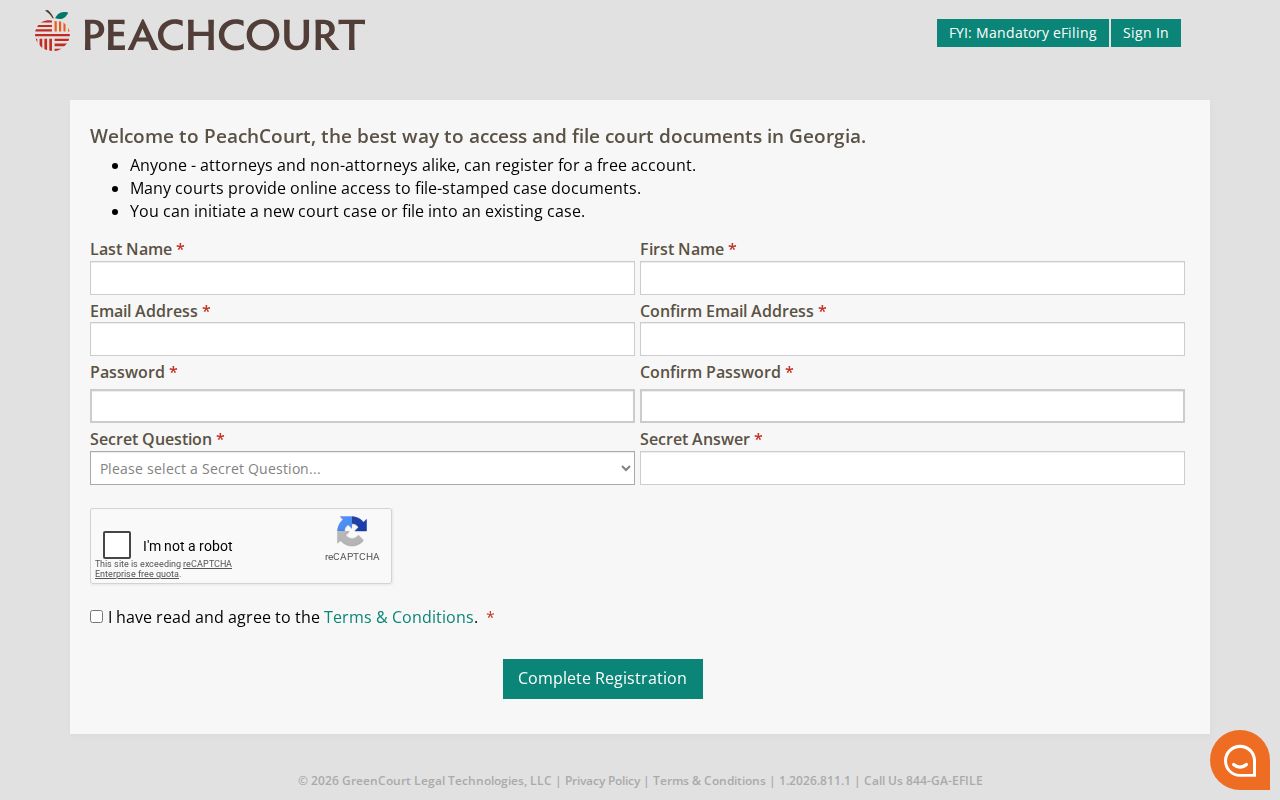
Free registration solves only part of the problem. It does not lift Cook provider coverage limits, sealed-record exclusions, or the gap between a vendor image and a Clerk-certified copy.
Key access rules:
O.C.G.A. §§ 50-18-70 through 50-18-72 favor inspection and copying of open records, allow lawful exemptions, and permit reasonable search, retrieval, administrative, and copy charges.
Uniform Superior Court Rule 21 treats court records as public unless access is limited by law or the rule's sealing procedure.
Rule 21.6 and O.C.G.A. §9-11-7.1 require protected identifiers and specified sensitive material to receive separate protection or redaction.
The Cook Clerk fee schedule lists standard, certified, non-standard, online, and vendor products:
| Copy route | Published amount | Access note |
|---|---|---|
| In-office standard | $0.50 per page | Clerk cites §15-6-77(g)(2). |
| In-office certified | $2.50 first page, then $0.50 each additional | Certification differs from a screen view. |
| In-office non-standard | $1.00 per page | Unscanned, odd-size, or staff-assisted copies. |
| Online certified | $2.50 first page, then $0.50 each additional | Card fee also applies through eCert. |
| Online standard | $2.50 first page, then $1.00 each additional | Card fee also applies through eCert. |
| PeachCourt document | $0.50 per page plus convenience fee | Account, coverage, and exclusions apply. |
| Search or turnaround | No general amount posted | Ask the Clerk about the exact record and deadline. |
Note: court-copy fees differ from the county form's general copy language. Confirm the product and amount before sending payment.